Find the buried thing
Ask it to find the message, contact, task, or old decision you vaguely remember.
 SwarmMarshal
The Assistant runs against the same MCP tool catalog that external agents see — get_context_pack, get_thread_context, get_person_context, search, drafts, mutations. Every answer it gives links to the message it came from, because the underlying data layer makes ungrounded answers structurally hard.
Not just a chat box — and not a blank one. The assistant works over your real messages across every channel you own, on your own machine: it searches, drafts, inspects approved systems, uses connectors, prepares actions, and stops for approval when the request crosses a line. Every answer links back to the message it came from.
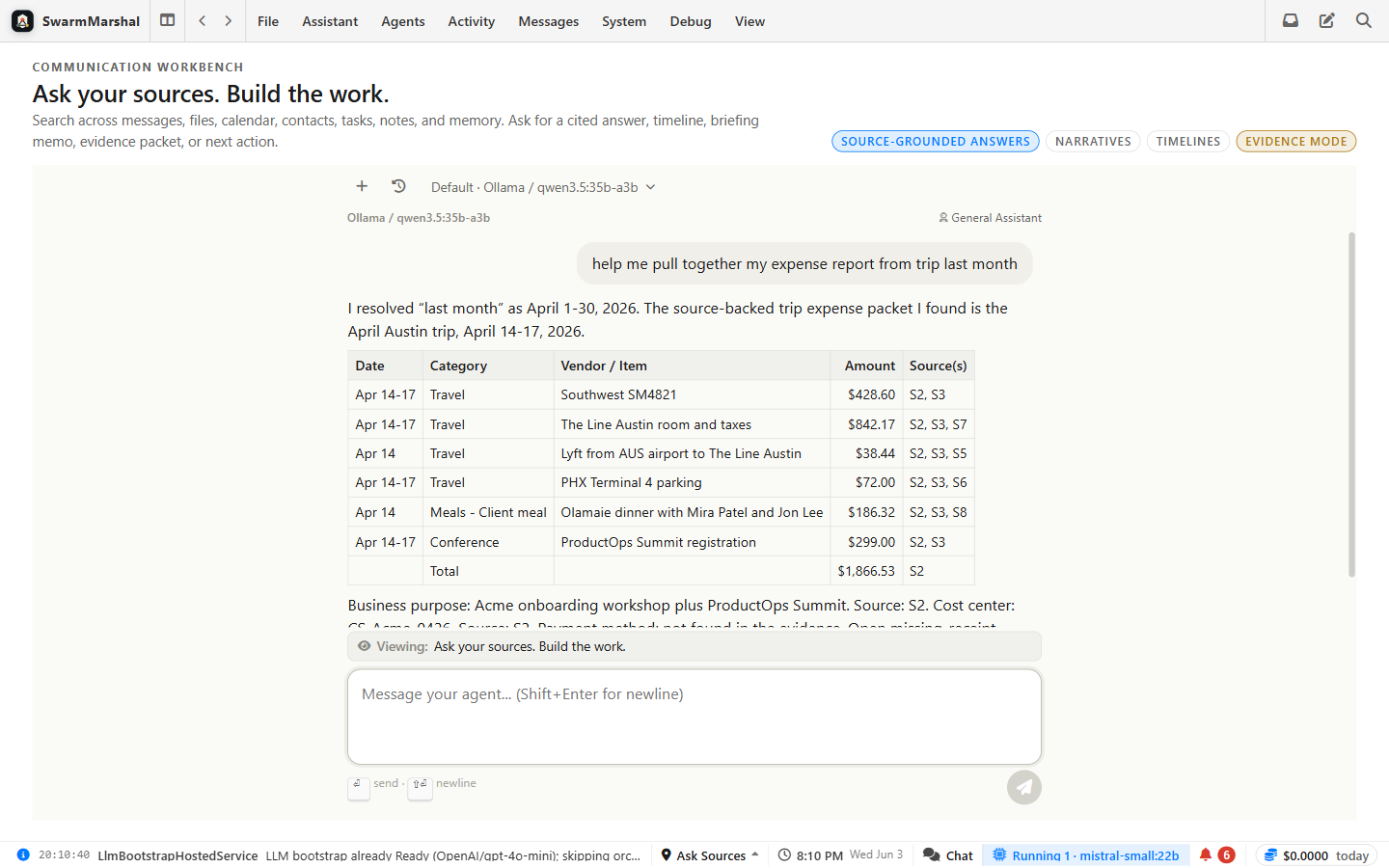
Ask it to find the message, contact, task, or old decision you vaguely remember.
Give it the thread and a goal; it prepares a response you can edit and approve.
Let it check connected systems, files, or MCP tools instead of guessing.
When the action matters, it asks. You see the request before anything goes out.
If setup or sending fails, it can translate technical errors into next steps.
Ask for a tracker or workflow and let Vibes create the first version.
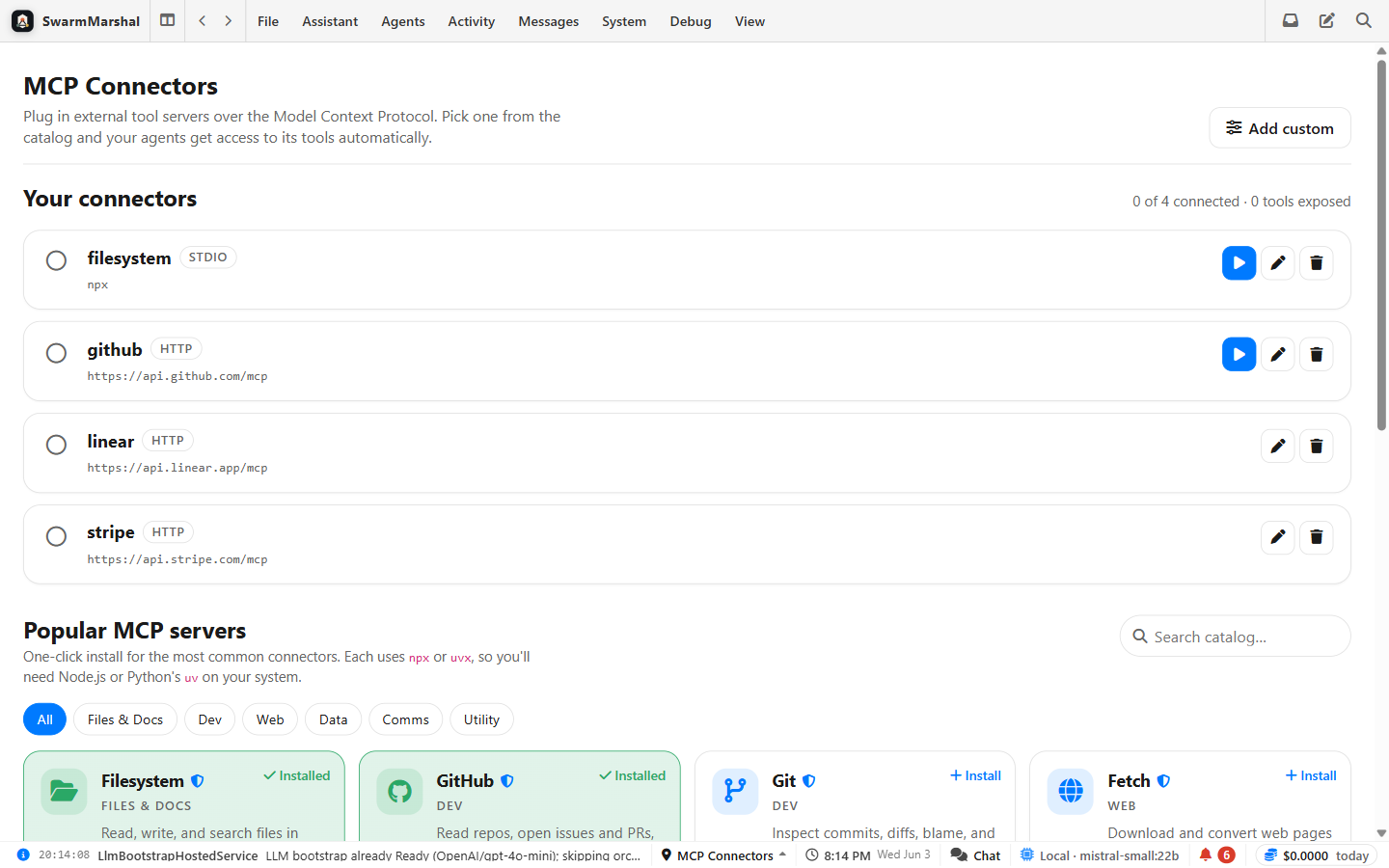
Each connector shows what tools it exposes, so the assistant's reach is understandable.
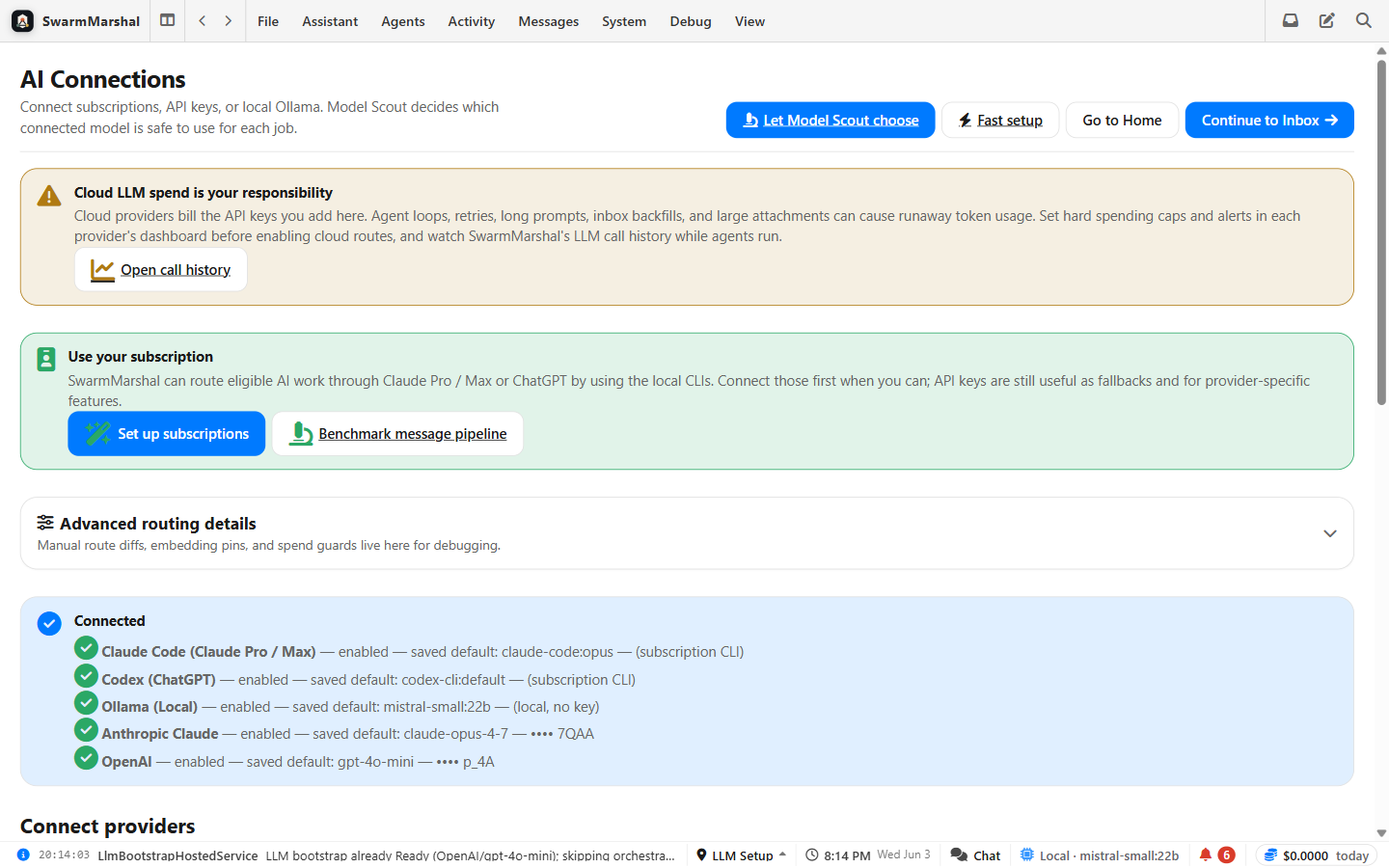
Private, cheap, and high-quality jobs can be routed differently instead of using one setting for everything.
The assistant can use specific approved tools, like search, file access, connectors, or app actions.
Risky actions can be limited by paths, permissions, and approval gates.
Different jobs can use different AI models, balancing cost, privacy, and quality.